Solution
RICOH Smart Integration
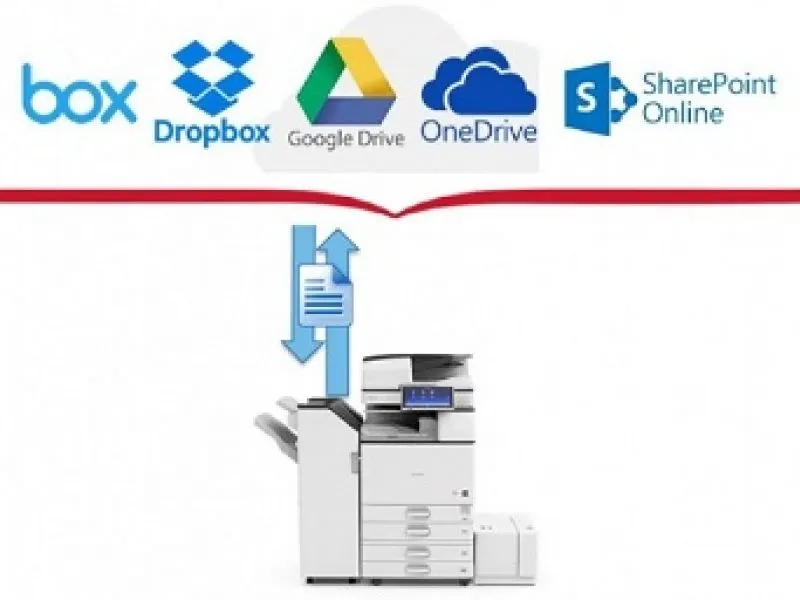
Discover RICOH Smart Integration, the platform that provides cloud-based apps and document workflow integration.
 RICOH partner
Guide
Watch the Control+ video
Choose a package and try it free for 60 days!
Process automation is essential to future-proof your business, increase productivity and ensure business continuity in today's ever-changing climate.
This means redesigning your business processes to make them more agile, more transparent and less dependent on human resources.
The aim is to implement solutions that secure your key business processes and allow them to run remotely, giving your employees access to critical information at any time, from any location.
Increase productivity by connecting your printers and devices to popular cloud services and share important information instantly.RICOH Smart Integration – How does it work?
- Connect your devices
- Integrate your cloud
- Improve your workflows
RICOH Smart Integration Packages – Free for 60 days
It’s easy to start using RICOH Smart Integration on your terms. Explore the package options below, then simply order the apps package you need for however long you need it or try it for free for 60 days. The apps are activated direct from your Ricoh device, so you will be up and running in no time. Because RICOH Smart Integration is a cloud-based solution, there’s no costly installation or engineer visit required to get started.
It’s easy to start using RICOH Smart Integration on your terms. Explore the package options below, then simply order the apps package you need for however long you need it or try it for free for 60 days. The apps are activated direct from your Ricoh device, so you will be up and running in no time. Because RICOH Smart Integration is a cloud-based solution, there’s no costly installation or engineer visit required to get started.
| Standard Package | Office 365 Package | DocuWare Cloud Package |
 |
 |
 |
| Scan to and print from popular cloud applications Advanced OCR scanning for more accurate document digitisation Convert documents to MS Office compatible formats |
Convert your physical documents to digital Scan to and print from Office 365 applications Advanced OCR scanning for more accurate document digitisation Convert documents to MS Office compatible formats |
Convert your physical documents to digital Scan to DocuWare Cloud Advanced OCR scanning for more accurate document digitisation |
| Activate free trial | Activate free trial | Activate free trial |
| Control+ Package | G Suite Package | |
 |
 |
|
| Control costs, with job log reporting by device, department, user Device management, to check active status and if there are errors Easy app setup, with remote MFP configuration and user self-registration Functionality to support larger workplace rollouts |
Convert your physical documents to digital Scan to and print from Google cloud storage Send scanned documents using your Gmail address |
|
| Activate free trial | Activate free trial |
Co
| Connect your devices | Integrate your cloud | Improve your workflows |
 |
 |
 |
| RICOH Smart Integration is a platform which provides cloud-based apps and document workflow integration across devices. Our easy-to-use apps connect your Ricoh multifunction printer (MFP), products and other smart devices, to popular third-party cloud services, so that important information becomes instantly accessible. | Connect your Ricoh device to a range of external cloud services. That means you don’t have to be tied to one machine or network to access the documents you need. Teams can work from anywhere and stay connected, viewing and sharing files from their own devices. | Work faster and more cost effectively by automating everyday workflows. You might be handling invoices, expenses, or working on documents as a team. Turn one paper file into multiple copies of a shareable, editable, digital document. |
Find out how the Control+ package gives you advanced control over reporting, remote collaboration and device error management. Watch the short video and see the package details in the Apps and Packages section.
Request a tailored quote
Tell us your volume and document types and we will recommend the right solution.
- Advice on choosing the right configuration
- Tailored quote, no obligation
- Service through our own nationwide network