
What is a multifunction printer?
A multifunction printer is a compact device that combines several types of equipment. Its core function is printing, complemented by scanning, copying and, in some cases, faxing.
It is used in large corporate buildings, in small business offices and by home users. Its main advantages are space saving and high productivity.
How does a multifunction printer work?
These devices can use several types of printing technology. The most popular printers are inkjet and laser. Inkjet has low costs for large volumes, but is slower than laser. Although more expensive than inkjet, laser-based devices are more efficient and ideal for office buildings.
The additional functions of multifunction devices are the scanner, copier and fax. In the scanner, the unit emits a light that hits the document and is then reflected by a series of mirrors. Almost instantly, it is converted into an electrical signal sent to the computer.
The copier also works using light, but this time it is reflected onto a photoconductive drum. Toner is applied to the drum, and finally the image is transferred to a new sheet of paper.
Fax is no longer as popular as it was in the 1980s, but many organisations still use it. The process involves sending scanned text or images over a telephone line to another fax machine, which then prints a paper copy.
Recommended multifunction models
RICOH IM 350F multifunction printer
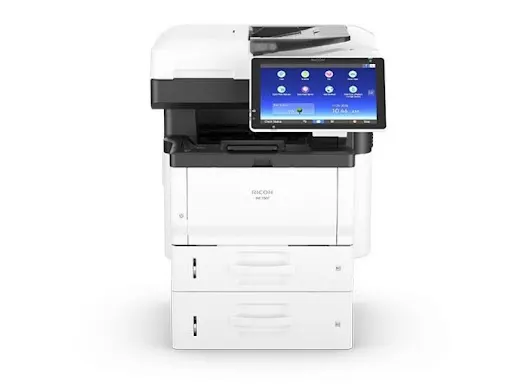
The RICOH IM 350F multifunction printer brings "business class" performance to small offices and small workgroups. It outputs 35 pages per minute at 1,200 x 1,200 dpi. Secondary functions – colour scanning, copying and fax – complete the package.
The device has a 10.1" Smart Operation Panel that supports Quick Authentication. With card authentication, there is no need to remember login details, making the experience faster.
RICOH IM 2500/A multifunction printer
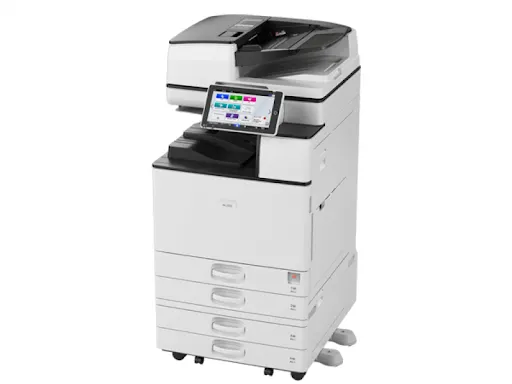
The RICOH IM 2500/A multifunction printer is a smart black-and-white device that offers high-quality printing, copying, scanning and fax. Always Current technology lets you upgrade to the latest features and updates, so it always stays up to date.
The device can be operated through a single app on Android and iOS devices. Its integration platform also allows workflow integration across a large number of smart devices.
RICOH IM 4000/A multifunction printer
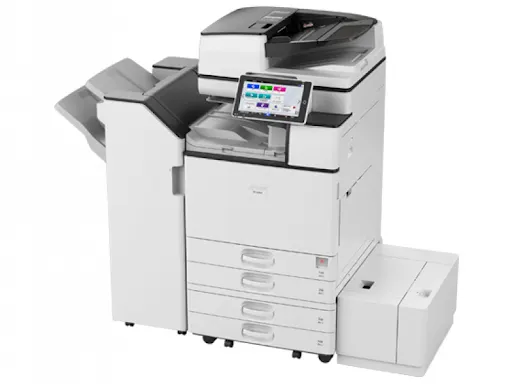
The RICOH IM 4000/A multifunction printer is designed to boost productivity in organisations of all sizes. High scanning speed, Always Current technology and an extensive range of finishing options deliver quality documents effortlessly.
This smart device connects easily to external cloud services. At the same time, sensitive data and information will not be compromised, thanks to multi-layered security features.
RICOH IM C4500/A multifunction printer
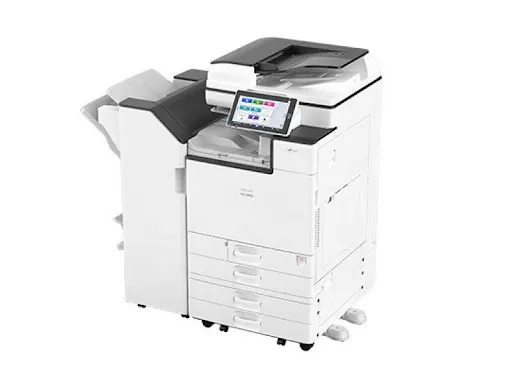
The RICOH IM C4500/A multifunction printer is especially suited to workgroups with complex requirements. It features a tablet-style operation panel that is easy for all employees to use.
Its latest-generation processor handles large files in record time. The device also has a human presence sensor, which enables printing within 0.5 seconds of detecting a user.
RICOH SP 3710SF multifunction printer
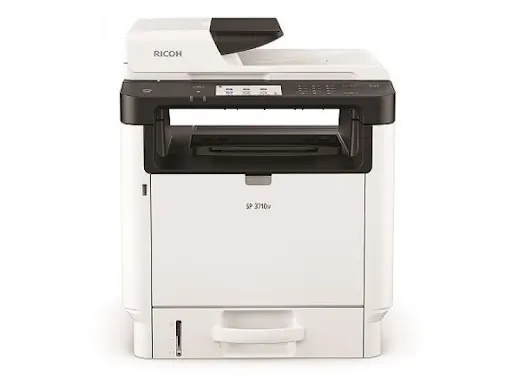
Last but not least, the RICOH SP 3710SF multifunction printer offers long-term affordability, with toner that lets you print for up to a year without changing cartridges.
Other features include printing and scanning from mobile devices, an easy-to-use touch panel and an automatic document feeder for fast multi-page transmission.
Multifunction printers are an excellent choice for office buildings or home users who handle lots of documents. We hope this article has helped you understand how they work and what they can do. If you want to buy a multifunction printer, consider our recommendations – you won't regret it.